
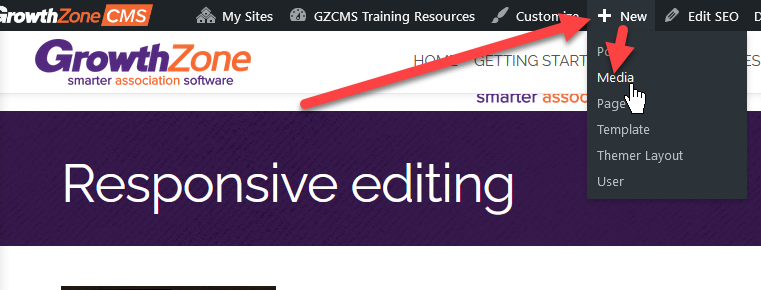
To upload a PDF you would go to New > media on the top bar
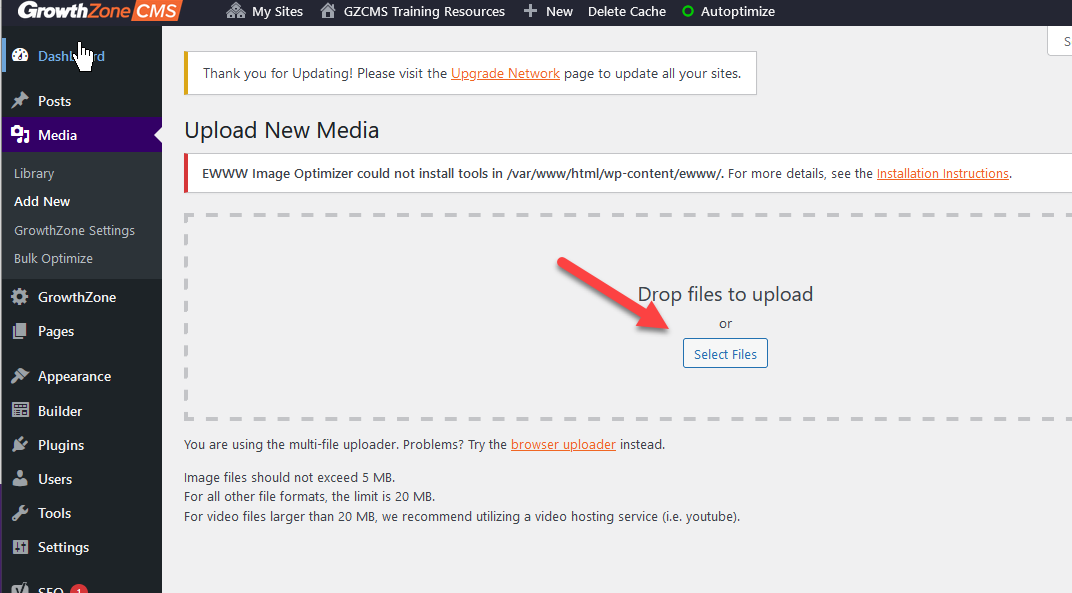
And Drag the PDF into the area or Click Select Files and Browse to the location of the file.
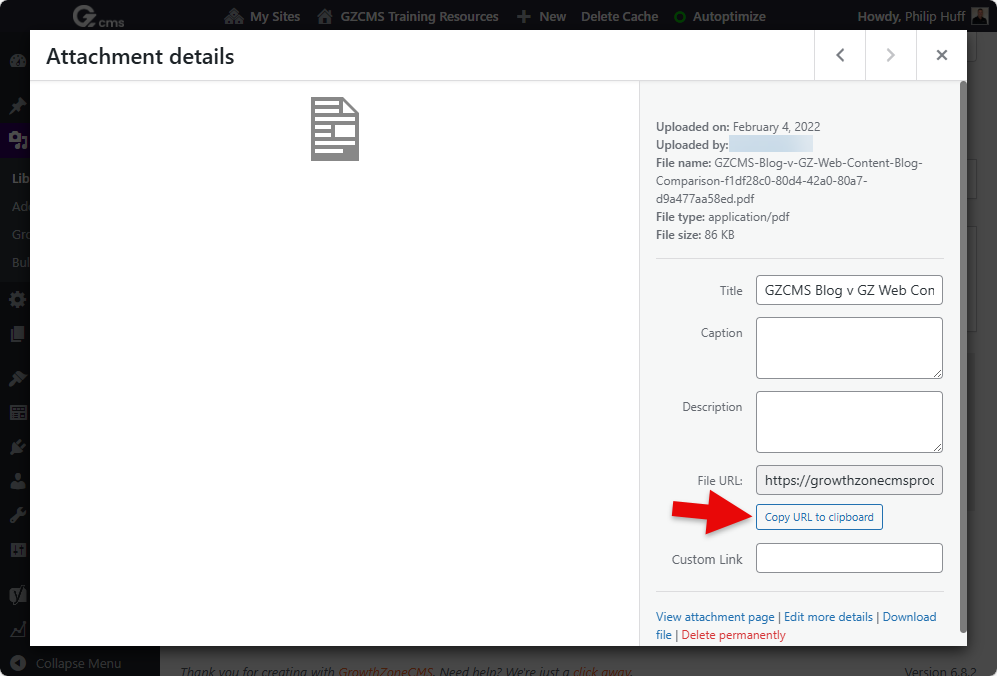
Once the file upload is complete, select the uploaded file, copy the URL of the file via the "Copy URL to clipboard" button and add it as a link in the desired GZCMS text editor, button, image or menu.
Resources
FAQ
Q: Can you display a PDF in Browser
A: GrowthZone does not include a PDF viewer currently so it will depend on if the users Browser has PDF Viewer
Q: What is the recommended PDF viewer
A: Adobe's PDF Viewer